
Make the project your own
Start with native equipment, sensors and controllers. Keep your viewport, scene tree and editable files together.
Get oriented →A workspace for robotic workcells
Turn an engineering brief into a workcell you can inspect. Build with an AI assistant, review the changes, and test your ideas in simulation.
Plans from $199 USD/month · Native projects. Human review.
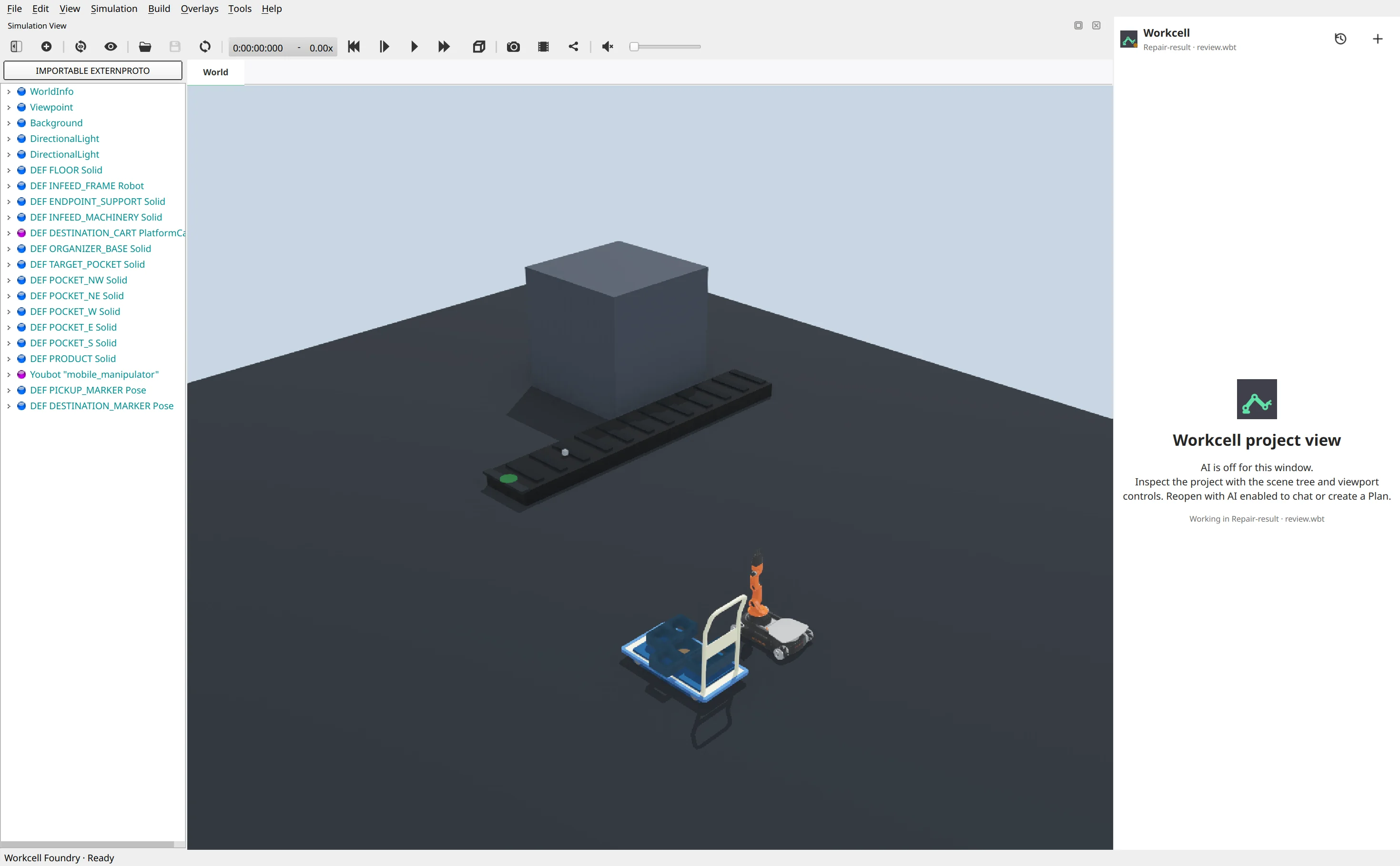
From brief to evidence
Start with native equipment, sensors and controllers. Keep your viewport, scene tree and editable files together.
Get oriented →Work conversationally or prepare a structured Plan. Inspect isolated changes before applying them to your project.
Understand the workflow →Check motion, sensing and interactions in simulation. Keep measured results separate from untested assumptions.
Explore the tools →Engineering context stays in the workspace
Ask about devices, controller logic and project structure. Follow the files and tool output behind the answer.
Project inspection →Prepare an editable project-bound Plan, then explicitly start execution. Preparing a plan does not execute it.
Plan and execute →Compare a candidate with its baseline, review it, and apply or reject it. Revisit retained project history.
Review and history →Useful assistance. Visible control.
The compact assistant works alongside your native workspace. Inspect actions, answer approval requests and stop a run without handing over your project.
Read the getting-started guide ↗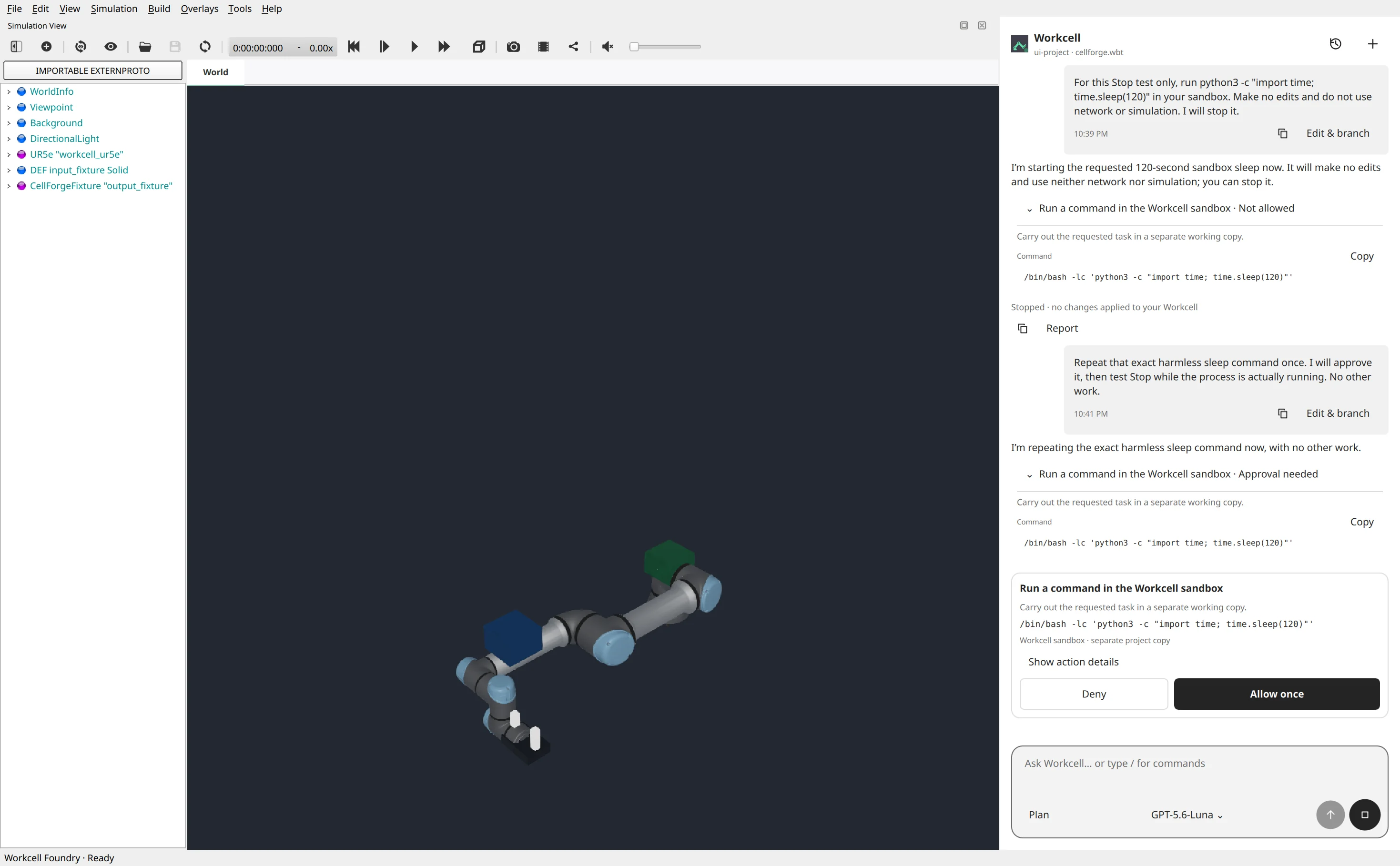
Before you start
An AI-assisted desktop workspace for designing, simulating and validating robotic workcells. Your native project files remain editable and user-owned.
No. Workcell is a simulation-only product. Simulation results are not safety certification or evidence of physical-cell performance.
Customer AI uses the Workcell-managed service and an active entitlement. No customer Codex login or provider API key is required. Private developer accounts are not part of customer access.
Plan prepares structured, editable project work. You explicitly start execution, inspect the isolated candidate, then decide whether to apply its changes.
Paid self-service activation is being qualified. Prices are published for planning; checkout and public downloads remain closed until their release checks pass. Use Support to ask about availability.