AUTHOR
Start with the model.
Work with bodies, joints and coordinate frames. Edit supported mechanisms, geometry, sensors and controller settings in the native project.
Model authoring →THE WORKCELL WORKSPACE
An editable native project, a measured simulation and a clear decision about what to keep. Together on your desktop.
AUTHOR
Work with bodies, joints and coordinate frames. Edit supported mechanisms, geometry, sensors and controller settings in the native project.
Model authoring →MEASURE
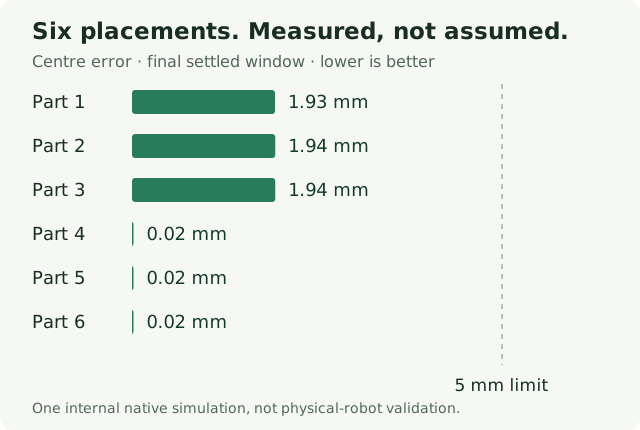
Run a saved setup in isolation. Replay the recording and inspect available channels, units and run identity.
Simulation and results →REVIEW
Compare a candidate before Apply. Keep engineering versions and recover changes without losing newer chats or drafts.
Review and recovery →MADE FOR YOUR DESKTOP
Offline engineering needs no account or subscription. Projects, conversations, drafts and recordings stay on your computer.
The native interface supports English, French, German, Italian and Spanish. The website and web guides are in English.
Find your way around →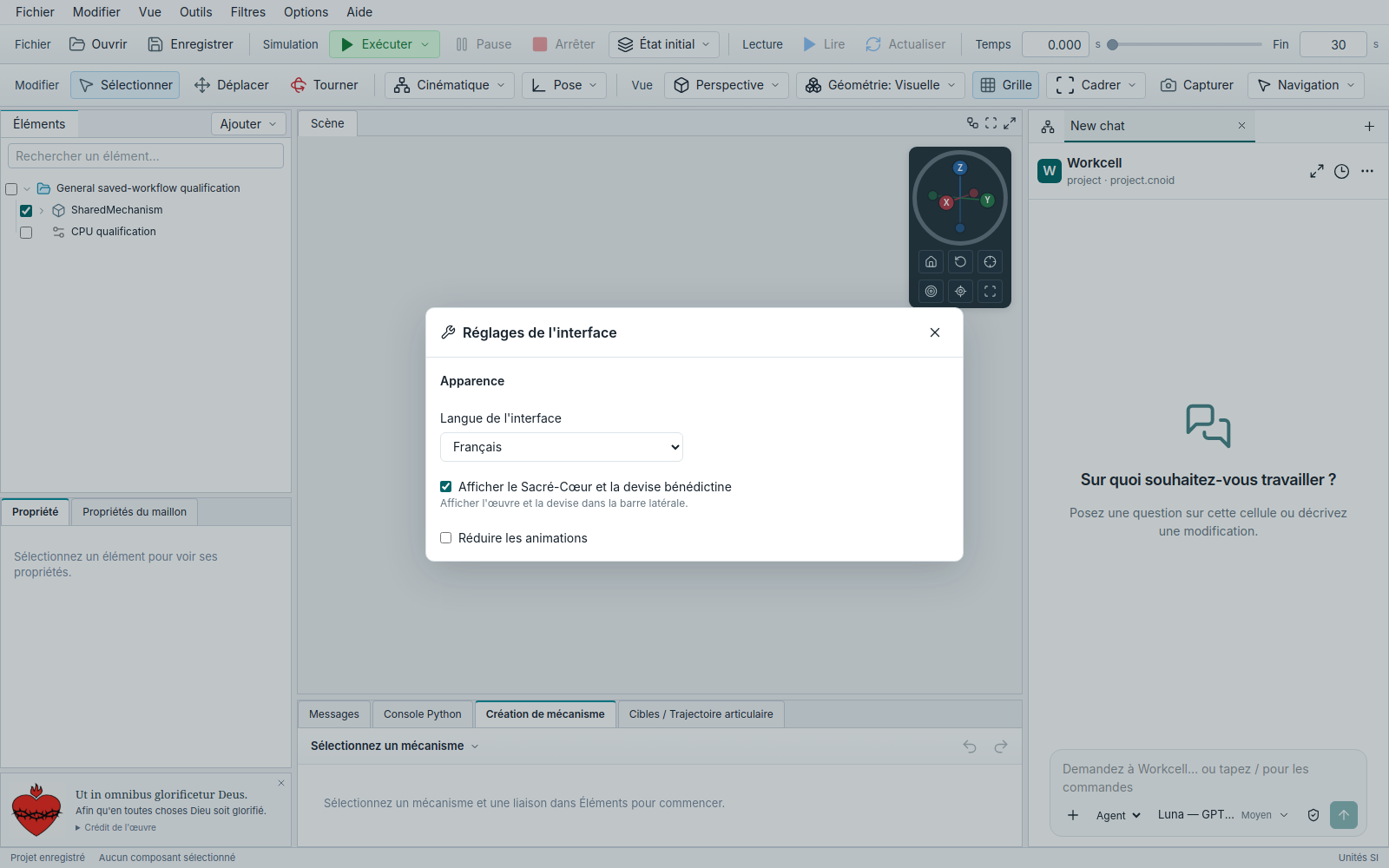
ASSISTANCE, ON YOUR TERMS
Accounts manage identity, workspace access and desktop connections. Optional managed AI is separate from the free engineering workspace.
Compare the offer →Public Client AI and checkout are not open. Workcell is simulation-only: it does not operate physical robots or certify engineering safety. Read requirements and limits.
ENGINEERING, NOT JUST A PICTURE
Open the editable cell, follow its controller and inspect measured transfer and fault evidence. Built with the private Workcell Agent; shared as an MIT-licensed example.
Public Client AI and checkout are not open. This example does not enable them.